

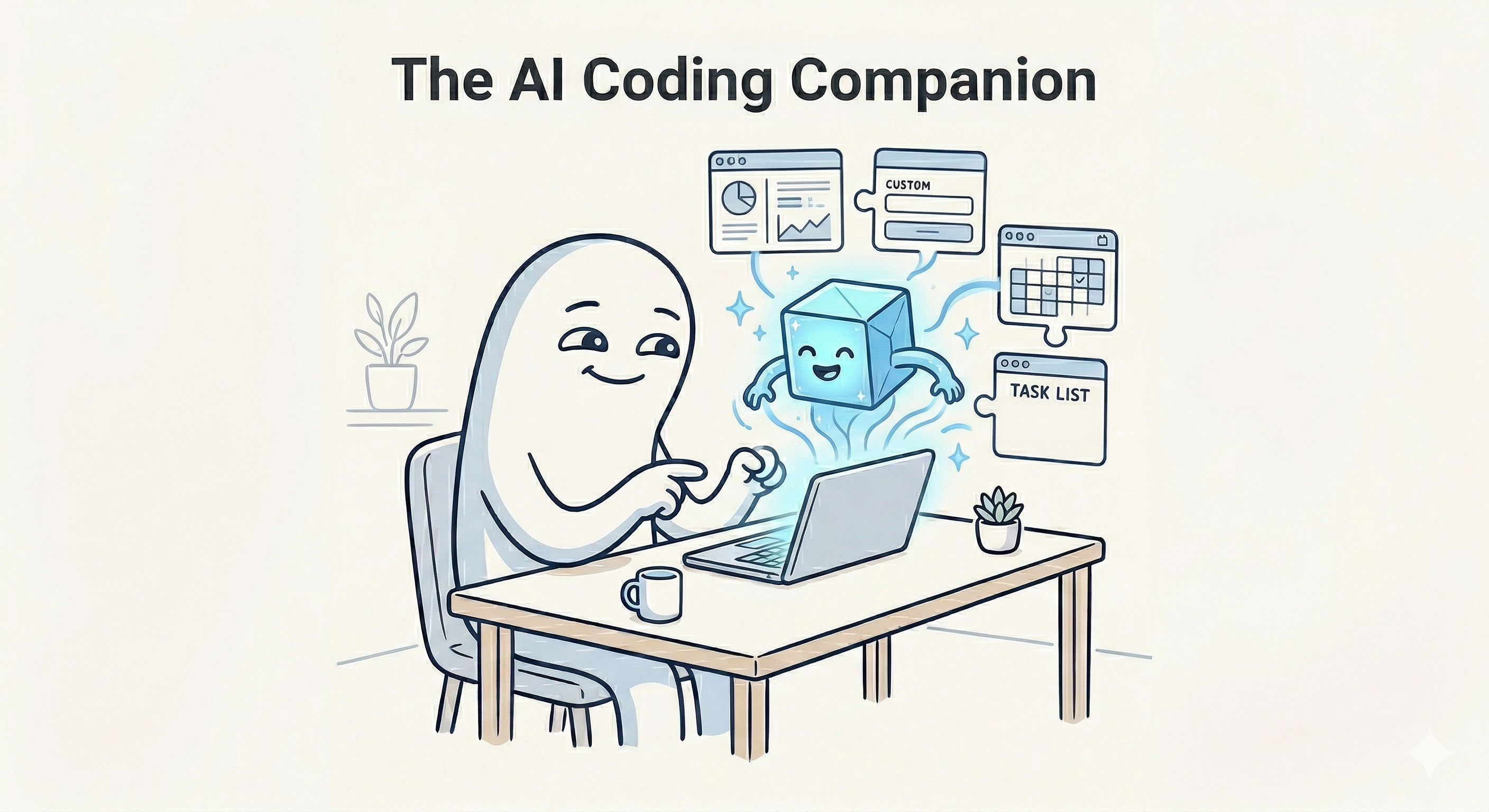
Artificial intelligence is increasingly changing not only how we work, but also how we build the systems that support our work.
Up to this point, much of the conversation around Generative AI and personal productivity has focused on using AI as a chatbot that produces text, images and videos. Those are practical and important. AI can help us capture faster, summarize better, organize information more effectively, and reduce a great deal of administrative friction. Then, as I discussed in my previous article, AI began showing up directly inside the tools we already use every day, from task managers and notes applications to Google Workspace and Microsoft 365.
Another shift is now underway: the next major leap in personal productivity is not just using AI inside existing tools, but using AI to help you build the bespoke tools, workflows, and interfaces your work actually requires.
That could take the form of a personal web app, a mobile utility, a browser extension, a plug-in, or a desktop tool, each designed not for mass distribution, but to augment and improve your own productivity.
What I discuss here should be read as building inside your existing platforms, browsers, and apps, where practical. This is not about creating commercial software to package and sell. (And this LinkedIn post encapsulates why I don’t advocate commercial software be vibe-coded.) It is about building internal or personal tools that augment and improve the way you want to work.
And that opportunity is now available not only to professional developers, but also to non-coders and power users who can think clearly, describe what they want, and iteratively direct AI toward a useful result.
Most people still think of software as something they must browse, compare, and adapt themselves to. You search an app marketplace, compare pricing tables, read reviews, and then try to squeeze your workflow into whatever the tool happens to support. If it is close enough, you live with the compromises. If it is too far off, you start hunting again.
AI coding companions are beginning to invert that relationship.
Instead of only choosing from what the marketplace has already made, we can increasingly describe what we need and have software generated around our own workflows. Not every piece of software will be created this way, and not every person will want to do this. But for people interested in personal productivity, this change opens an entirely new frontier.
There are myriad reasons I refer to time management as personal productivity, usually modifying productivity with personal. But one of the most vital reasons is that we must tailor what we’re learning to what our circumstances require. Take frameworks and methodologies such as Getting Things Done, Personal Kanban, PARA, Bullet Journal, or time blocking, the actual day-to-day reality of managing our work is deeply shaped by our own context, responsibilities, tools, preferences, and constraints. Off-the-shelf software is broad by necessity. Your workflow is not.
That is where AI coding companions become so interesting. They lower the barrier between identifying friction and building a solution.
I find it helpful to think about this shift across three levels of AI coding companionship, and which persona you are.
Designer
Non-coders who do not see themselves as developers. Their main skill is learning to describe what they want with enough precision to direct the AI. They are defining the shape and function of the desired tool.
Integrator
Power users who are comfortable experimenting, managing configuration files (like CSV, JSON and XML), and generating lightweight, functional software artifacts. Their focus is on accelerating the customization and maintenance of their personal productivity ecosystem.
Engineer
Coders. They use AI to dramatically shorten the distance between an idea and a working prototype (MVP). Their advanced role involves inspecting the engine, refactoring the generated code, and focusing on sound architecture and quality.
In each case, the opportunity is real. And in each case, the human still matters.
Before Anything Else: Learn the Fundamentals of How Software Thinks
Before going further, I think there is an important point that applies to everyone in this discussion, from the non-coder to the power user to the experienced developer.
You should learn programming fundamentals. I do not mean that you need to become a professional programmer. I do not mean that you need to memorize a programming language, build applications from scratch by hand, or pursue software engineering as a vocation either.
I mean that in the age of AI, it is increasingly valuable to understand the basic structure and nature of software.
That may sound like extra work, especially when AI can now generate so much code for us. But I think the opposite is true. The more capable these tools become, the more important it is for us to understand the shape of the thing we are directing.
If you want to work effectively with AI as a coding companion, it helps immensely to understand some foundational concepts: inputs and outputs, variables, conditionals, loops, functions, data structures, files, APIs, databases, and the general logic of how software systems are assembled. You do not need to master all of this at an advanced level. But you do need enough familiarity to understand how software is structured and how it behaves.
Why does that matter? Because even though we are interacting with AI in natural language, we are still directing software to produce software.
Fundamentally, AI is software, code. It’s not thinking; it’s running algorithm after algorithm on high-capacity computing infrastructure most of us can’t really fathom. It won’t ever be sentient. That’s counter to the very concept of how we intuit sentience as humans. They may be able to mimic sentience, but that’s not the same thing. I’m open to changing my mind on this, but it takes us to the nature of how AI communicates with us.
The AI may speak to us conversationally, but underneath that conversation it is still operating within the logic of systems, structure, and code. If we have no mental model for how software is organized, it becomes much harder to describe what we want with enough precision to get good results.
Put differently, learning programming fundamentals is about learning how software thinks so that you can instruct AI more effectively.
That is why I think computer science education is becoming more important, not less. That may not mean more software developers, but scientists thinking deeply about how to build new and varied, efficient and purpose-built forms of AI.
Fortunately, this does not require an expensive degree program. There are many excellent resources available for free or at low cost. Harvard’s CS50 and CS50x are the most widely recommended introductions and available for free online. MIT has excellent open course materials. YouTube is full of programming fundamentals courses. And if you prefer more structured commercial learning, platforms like LinkedIn Learning, Udemy, and Coursera all offer introductory programming and computer science courses.
Again, the goal here is not to turn every one of you into a developer. I want to help you understand enough about the grammar of software that you can think more clearly about what you are asking the AI to do. Once you understand a bit more about how software is structured, natural language prompting becomes much more powerful because your instructions become more precise, more realistic, and more architecturally aware.
In many ways, this is similar to learning the basics of how writing works before becoming a better editor, or learning the fundamentals of design before giving good feedback on a visual layout. You do not need to become the expert practitioner in order to benefit from understanding the medium.
That is exactly how I think about programming fundamentals here. They are not a detour from AI productivity. They are part of becoming more effective with it.
For the Designer (Non-Coder): Three Ways AI Already Lowers the Barrier to Building Useful Tools
For those who (self-determined above from the chart) that you’re non-coders (which I imagine are a great many of you), you need to get better at thinking in structure.
That may sound more harsh than I intend it to, but the point stands. Most non-coders know roughly what they want. They can explain their frustration and point to what is broken. They can even tell you what they wish a tool would do differently. What they often struggle to do is communicate those needs in a way that can be translated into a reproducible system.
AI helps with that, but only if we meet it halfway.
Markdown as a Bridge between Thought and Instruction
One of the easiest on-ramps for non-coders is learning to write with basic Markdown. (The most common of which is known as CommonMark.)
At first glance, Markdown looks like a formatting system. And it is. It helps you create headings, lists, emphasis, links, and other structural elements without needing a full visual editor. But in the context of AI, Markdown is useful for a deeper reason: it teaches you how to separate and organize your thinking.
When you write a long, messy paragraph into a chatbot, you are often mixing together the problem, the context, the constraints, the desired output, the examples, and the emotional frustration all at once. Humans are often pretty good at untangling that kind of communication because we are used to reading through ambiguity. AI can sometimes manage it, too, but the results are far better when your thoughts are organized.
Markdown encourages that structure.
You begin separating ideas into sections. You create headings. You organize lists of requirements. You put examples under one heading and constraints under another. You distinguish between background information and actual instructions.
That might seem like a small habit, but it matters a great deal.
For non-coders, Markdown becomes a bridge between natural language and more formal systems thinking. It is one of the simplest ways to begin thinking like a builder without yet writing code.
In practical terms, this might mean organizing a prompt with sections like these (per my last article):
# Role
[Who should the AI act as?] :
# Objective
[What are you trying to accomplish?] :
# Context
[What background information does it need?] :
# Constraints
[What should it avoid or stay within?] :
# Output Requirements
[What should the final result look like?] :
That level of structure helps the AI understand not only what you want, but how to assemble the response in a way that is actually useful. Further, if you use the (unofficial) comment markdown (i.e., “ [comment goes here] : “), you can provide hints to yourself about what/why you create a master prompt a certain way when you look back at it a few months, or years, from now.
And, it helps you think more clearly, too. That is an essential element in all of this. AI is not just here to help you produce more output. For those who use it well, it is helping you sharpen your own thinking enough to produce a better output.
Extracting Structure From Images, Audio, and Video
Another major shift is that AI can increasingly take unstructured media and turn it into structured, editable information.
This is a bigger deal than I think many people realize.
A Designer may not know what a CSV, JSON or XML file is, or how to build one from scratch. But they are capable of taking a screenshot, recording a short voice explanation, uploading a video walkthrough, or providing an image of an interface and using the prompt, “Extract the structure from this and give it to me in a form (like JSON, XML, YAML, or CSV) I can work with.”
Table Extraction for Spreadsheets (CSV): A Designer finds a financial table in an image or a PDF scan of a book’s appendix. Instead of manually entering hundreds of data points, they upload the image to an AI and ask it to “Extract all data from this table and format it as a CSV (Comma Separated Values) file.” The result is a clean, editable spreadsheet ready for analysis in Google Sheets or Excel. These CSV files are also best for giving to AI and transferring data sets between different AI tools and chats.
Granular Image Editing (JSON): An AI can generate an image, but making precise, isolated changes is difficult with natural language alone. A user can tell the AI to “Extract all the information from this image in JSON”. Once the detailed JSON file is produced, the user can inspect it and only change the specific part of the JSON related to the element they want to modify (e.g., change the color of a background or a single word of text). When the user re-prompts the AI with the edited JSON, it will recreate the image, changing only the exact thing referenced in that file part, ensuring accurate and contained changes.
Audio/Video Metadata Generation (XML): A user records a 45-minute webinar and needs to turn it into structured assets. They upload the video file to an AI and request: “Generate an XML file containing the transcript, speakers, and a timestamped summary of key topics.” The AI can output a file structured with XML tags for speaker, start_time, topic_heading, and summary_text. This XML asset can then be used to automate the creation of a table of contents or a search index for the video.
That is where these tools begin to feel truly enabling.
You can ask an AI system to look at an image, listen to an explanation, or interpret a screen recording and then extract from that media a structured representation of what it sees. That structured data can then be edited, refined, and reused.
Why does that matter for productivity? Because so much of productivity friction comes from having to repeatedly reinvent the same idea. When you can convert a spoken explanation, visual example, or rough sketch into something more formal and granular, you gain the ability to make reproducible changes. You are no longer starting from scratch every time. You are building an editable asset.
That movement from unstructured to structured is one of the quiet superpowers of AI-assisted creation, especially as a Designer.
Talking Your Way Into Lightweight Web Tools and Interfaces
The third Designer (a/k/a non-coder) opportunity is even more immediately exciting.
In some AI environments, you can now talk your way into a simple website, utility, or web tool without writing code directly yourself.
That does not mean the code disappears. It simply means the code is generated for you in response to a structured conversation.
The real skill here is not memorizing syntax. The real skill is articulating purpose.
What is the tool supposed to do?
Who is it for?
What problem is it solving?
What should happen when the user clicks this button?
What information needs to be stored or displayed?
What does success look like?
How should data be collected? And, does it need to be securely stored for some amount of time?
Those are design questions, not coding questions. And AI is becoming remarkably good at interviewing you through those design questions so that the system can then generate the software artifact. AI can help build the prompt that builds the product.
Many people fail with AI not because they lack ideas, but because they do not yet know how to turn those ideas into clear instructions. If the AI can help interview you, clarify the problem, and construct the prompt that ultimately generates the tool, then even a Designer is no longer limited to consuming software made by other people.
For some readers, that alone will open an entirely new world of experimentation.
But there is another group of people who sit one step further down the path. They are not necessarily developers. They may never call themselves coders. But they are willing to install tools, experiment with settings, manage files, and tinker with their systems. Those are the power users (or, Integrators), and for them, AI gets even more interesting.
For the Power Users: Vibe Coding Your Own Utilities and Integrating the Workflow Layers
For the Integrator, the “recurring annoyance” is no longer a dead end; it is a development prompt. Historically, if a software vendor didn’t prioritize your specific edge-case friction, you were stuck between accepting the inefficiency or committing to a steep learning curve in systems administration or scripting. AI has fundamentally broken that binary. As a power user, you can now leverage your understanding of logic and configuration to “vibe code” functional utilities through iterative dialogue. By identifying a precise pain point and directing an AI to architect the solution, you move from being a consumer of rigid tools to a curator of a bespoke, automated ecosystem that fits your exact workflow requirements.
Extension Organizer: Controlling Browser Chaos With AI-Assisted Design
One example is a small tool I created for myself called Extension Organizer, designed to combat the browser chaos of accumulated Chrome extensions. Like many people, I had dozens of utilities, client-specific tools, and noisy gremlins like coupon and shopping extensions that constantly interrupted my work. My original workaround was tedious, manually disabling them and hunting through the extension dashboard in Chrome to turn them back on when needed. I eventually realized I didn’t just need a toggle; I needed a way to categorize extensions, activate them in groups, and surface favorites based on my current context.
To solve this, I used Google Gemini to help write the specifications by asking it to interview me about every aspect of the tool, from UX to security. This process moved the idea from a vague annoyance to a structured design brief, which I then used to generate a comprehensive prompt. By invoking Canvas inside Gemini, the AI moved from interviewer to code generator, producing the actual files I needed to install the extension. This is the essence of vibe coding: directing a process with enough specificity that the system builds a bespoke, useful artifact for your unique environment.
That is the kind of opportunity I think many tech-curious people are going to find unexpectedly empowering.
Espanso and Antigravity: AI-Assisted Configuration for a Local-First Productivity System
Another example involves my use of Espanso, a local-first, cross-platform text expansion tool that allows me to maintain a portable system under my own control. While Espanso provides the ideal architecture, manually formatting complex YAML structures inside configuration files is a high-friction task. I used Antigravity, Google’s AI coding environment, to bridge this gap by supplying it with Espanso’s documentation and my desired shortcuts. The AI took over the syntactical burden, correctly formatting the YAML and allowing me to update my system instantly without the risk of formatting errors.
For the power user, the primary value of AI lies in accelerating the customization and maintenance of a personal productivity ecosystem. While I could have performed these updates by hand, the AI removed the tedious syntax burden while leaving me in full control of the logic and outcome. This acceleration changes the economics of building and maintaining tools, allowing enthusiasts to focus on their actual work rather than wrestling with the underlying code.
An additional benefit of managing this inside Antigravity is that every few weeks, I ask it to produce a legend of all the existing triggers and their purposes. I then copy that into an Evernote note which I have available so I can review to make sure I’m using the full catalog of Espanso, or adding any new text or AI prompts I’m using regularly. Antigravity is acting as a maintenance utility using conversation with the Espanso database file.
But for coders, or for people who have enough development experience to think architecturally about software, AI changes not only maintenance and configuration, but the economics of building an application from scratch.
For the Coder: From Blank Page to MVP at Unprecedented Speed
For more than twenty years, David Allen has talked in one form or another about the dream of the ultimate Getting Things Done® (GTD®) app. If you know the GTD ecosystem well, you know exactly what that means. Most task managers can hold lists, represent projects, contexts, due dates, and priorities; some are elegant or feature-rich, but most are still general-purpose containers. They do not guide the user through the logic of GTD in a way that actually helps develop the skills of thinking and working that the methodology requires.
That distinction matters to me. I did not want merely another task list manager; I wanted to see whether I could vibe code an opinionated GTD application; one that would not just store work but help teach and reinforce the methodology itself.
What Traditional Development Would Have Looked Like
In an earlier era, I know exactly how I would have approached something like this. I likely would have used WordPress as the shell for its infrastructure and built on top of the REST API using JavaScript and AJAX, perhaps using Capacitor or ElectronJS for mobile and desktop delivery. While that could have worked, it would have taken significant time and engineering effort just to get to a credible MVP. That is what AI changes.
Using AI to Interrogate the Idea Until it Becomes a Product Brief
Rather than starting with code, I started with interrogation. In ChatGPT, I asked the system (on a long car ride to visit family) to interview me through every major aspect of the application to pull the specifications out of my head the way a skilled product strategist might. We went through branding, UX/UI, functionality, GTD logic, and security in a process that took hours but was worth every minute. What emerged was not merely a good prompt, but a master brief.
That is a critical distinction that I think more people need to understand: the real work was not yet code generation, but forcing clarity. Each time the system produced a summary, I would push it further to identify missed assumptions, edge cases, and opinionated logic. That iterative interrogation mattered because instructions are always incomplete the first time; you have to keep refining until the vision and architecture become visible.
From Master Brief to Master Prompt to Working Prototype
At that point, I moved into the next stage, asking ChatGPT to turn the master brief into a highly detailed generation prompt section by section. Then I took that prompt into Google AI Studio and let it loose. What happened next would have sounded absurd only a few years ago: the system built the application. Not the final production-ready version, but a working vision that was recognizably what I had described.
Inside the preview, I could already see the product logic reflected in the app itself with payment tiers and GTD workflows present. In a matter of hours, I had moved from concept to MVP, representing a staggering shift in the economics of product development. While I could push it into production immediately, I believe the next step is to pull the code out and refactor it to ensure the architecture is sound and the logic is tightened.
That is what differentiates the coder’s use of AI from the power user’s: the coder wants to inspect the engine. Still, the productivity gain is undeniable. AI does not eliminate the need for a capable builder, but it dramatically shortens the distance between imagination and a usable artifact.
Instead of spending weeks crawling toward an MVP, you can often get to a meaningful prototype in a single concentrated session and spend your energy improving what exists. That is not a small acceleration; it changes the kinds of things you are willing to attempt.
Human in the Loop: Why Taste, Judgment, and Real-World Context Still Matter
At this point, it is tempting to drift into hype, but I think that would be a mistake. AI may be capable of producing the vast majority of code and assembly, but a human in the loop (HITL) is still necessary now and for the foreseeable future, in a much deeper sense than simply reviewing for launch.
Human beings bring things to the design and development process that AI simply does not possess, starting with taste. You cannot teach or delegate taste; while AI can identify patterns and imitate style, subjective judgment about what feels elegant, humane, or valuable in context remains stubbornly human.
Taste is not merely aesthetic; in productivity software, it often shows up as restraint. It is knowing what not to include and whether a feature supports focus or adds distraction. AI can assist with those decisions, but it cannot own them in the way a person can.
Instructions Are Inherently Lossy
The second reason the human still matters is that instructions are inherently lossy. AI only knows what you are looking for through what you provide, and there is always some loss, in translation and transmission, between intent and inference. We experience this with people all the time; the gap with AI can just be harder to detect because the output looks so polished.
That is why iteration matters and why builders must keep checking the result against the real objective. If you do not, you may end up with software that looks correct and compiles cleanly, yet fails the actual use case you cared about.
AI Does Not Have Real-World Experience
The third issue is even more fundamental: AI does not have real-world experience. It is not navigating an overstuffed calendar, managing a team, or feeling the stress of deadline pressure; it is processing patterns in data rather than living a human experience with the emotional pressures of our world. It lacks thinking and feeling and therefore it collects data, but I would argue it cannot truly be called experience.
That distinction matters because personal productivity is about lived constraints, emotion, and context. A system that looks perfect in abstraction may fail when it collides with the messiness of human work, which is why the human understands the consequences and nuance in a way AI cannot replace.
The Right Model Is Directed Collaboration, Not Autonomous Replacement
This is why the best way to understand AI coding companions is as directed collaborators rather than autonomous replacements. For every persona—from non-coders to engineers—AI expands capabilities and shortens the path to creation, but the human remains responsible for utility, judgment, and fit. That is not a disappointment; that is the opportunity.
For the Designer (non-coder), AI acts as a bridge that expands what they are capable of creating by translating natural language and structured thought into functional artifacts. For the Integrator (power user), these companions accelerate the customization, maintenance, and experimentation of a personal productivity ecosystem, removing the tedious burden of manual syntax. For the Engineer (coder), the collaboration compresses the path from initial idea to a working MVP, allowing them to redirect their focus toward higher-level architecture, refactoring, and overall quality.
Ultimately, the HITL ensures that the software produced actually solves the intended problem within the messy, emotional, and lived constraints of the real world; context that an AI processing patterns in data cannot truly experience or fully replicate.
In Conclusion: Designing Your Bespoke Productivity Universe
For a long time, one of the hidden frustrations in personal productivity has been that our systems are always partly borrowed. We adopt tools made for general markets. We adapt workflows designed for average use cases. We compromise around feature sets that were shaped by someone else’s product roadmap. And then we do our best to make all of that feel personal. What AI coding companions change is not human nature, and not the need for good judgment; instead it dramatically lowers the cost of customization..
As those costs drop, the distance between “I wish my system did this” and “I built a small tool that does exactly that” is shrinking. This is true for the non-coder who structures prompts with Markdown, the power user who generates design briefs for personal utilities, and the coder who moves from a long-imagined concept to a working MVP in hours instead of months. Many more people can now shape software around the way they actually work.
In my view, this is one of the most important shifts happening in the personal productivity landscape right now. The future of personal productivity may belong less to the people who can write every line of code by hand and more to the people who can clearly describe what matters, direct intelligent tools well, and keep human judgment firmly in the loop. AI-assisted coding simply expands who gets to build and get things done.
such a good read! 👏