

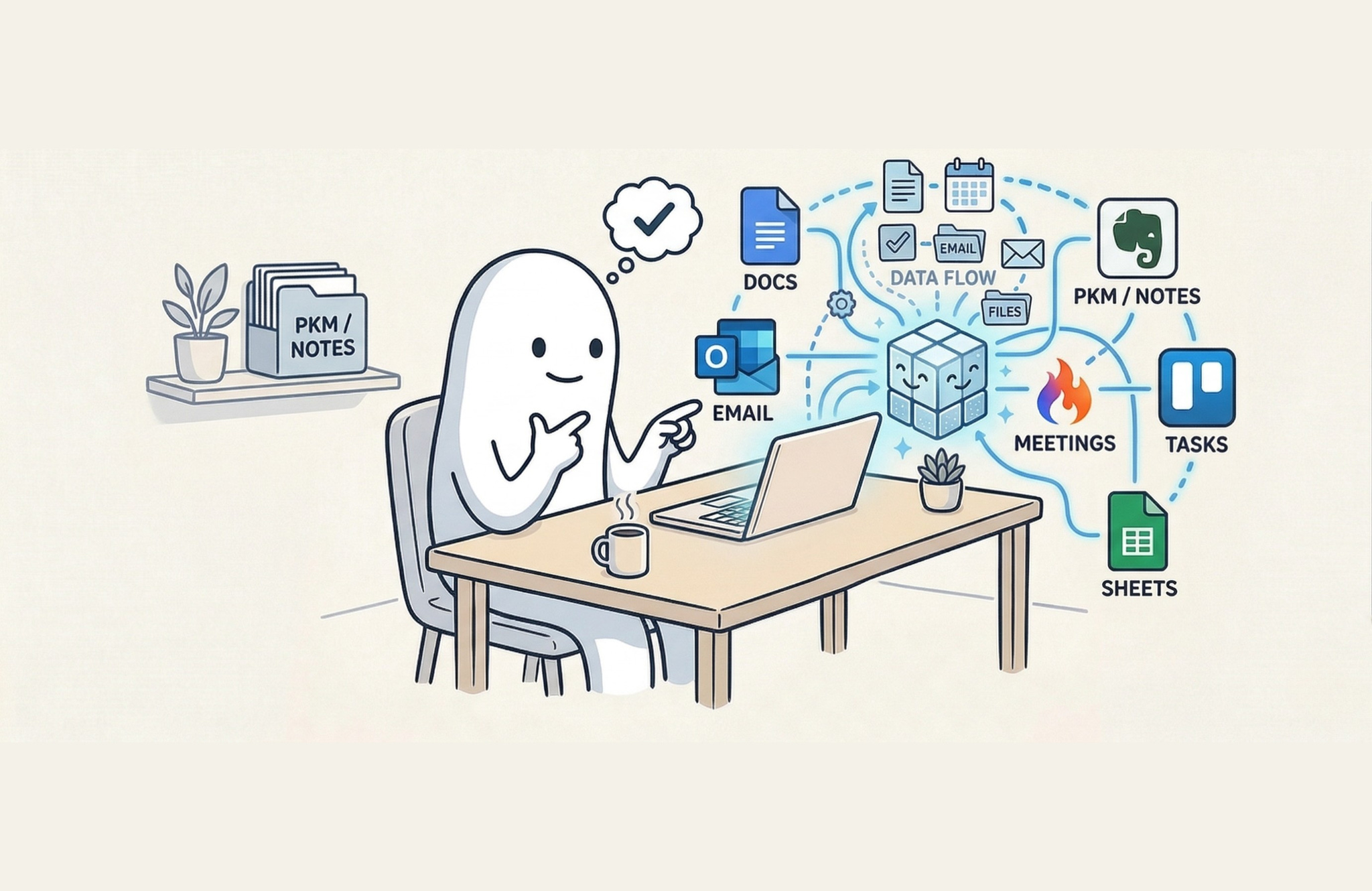
Artificial intelligence is increasingly showing up inside the tools we already use every day. Most people interact with AI by opening a separate application such as ChatGPT, Claude, or Gemini. (As an aside, if you’ve used Google Maps in the prior nearly 20 years of its existence, you are a beneficiary of the AI (i.e., machine learning) being used under the hood.) The workflow looks something like this: leave the tool you are using, open a chatbot in another window, ask a question or generate some content, then copy and paste the result back into the system where your work actually lives.
That pattern is already beginning to change. Instead of existing as a separate destination, Generative AI is steadily becoming a feature embedded inside the software where knowledge work actually happens. Task managers are gaining AI capture capabilities. Notes applications are introducing AI search and synthesis. Office suites are embedding assistants directly into documents, spreadsheets, and email. Automation platforms are beginning to use AI to determine how workflows should operate instead of relying entirely on rigid rules.
For people interested in personal productivity, this shift matters. The biggest productivity gains from AI will not necessarily come from brand new tools. I would argue that most of them are time wasters, not time savers. Productivity gains will come from smarter versions of the tools and major tech platforms such as Microsoft 365 and Google Workspace that we already rely on.
And that shift is subtle. It does not feel like you’re adopting something entirely new. It will hopefully fit into your existing routines and habits of your workflows. It should feel like your existing tools are getting better at helping you capture, decide, and execute.
Task Managers: Faster Capture Without Losing Cognitive Agency
One of the first places many people encounter AI inside their productivity stack is in task management software.
Task capture has always been central to effective productivity systems. Whether you follow Getting Things Done, Personal Kanban, PARA, Bullet Journal, or a simple to-do list approach, the ability to quickly capture what has your attention is essential.
Tools such as Todoist have begun experimenting with AI features that allow users to speak tasks out loud or enter them in natural language while the system converts those thoughts into structured actions.
I think Todoist is one of the first tools to really come out of the gate with the ability to speak out loud within the task system. You can essentially talk through what you’re thinking, and the system converts that into clear next-actions.
This capability may seem small at first glance, but it touches on one of the most common friction points in personal productivity: translating the vague things occupying your mind into crystalized actions inside your trusted system.
It helps us get our thoughts out faster and capture into our system. But it’s also doing some of the cognitive work that I think is really important for us to do ourselves.
That point deserves some attention. Whenever new automation appears, there is a temptation to hand the thinking over to the system entirely. But productivity tools work best when they support human judgment rather than replacing it.
I don’t think we should relinquish our cognitive agency completely to AI. If you’re cognitively overloaded, tired, or overwhelmed, this gives you the ability to capture what you need quickly and let the system help organize those thoughts into an action.
In other words, AI-assisted capture works best as a support mechanism. It accelerates the early stages of organizing work, but the human still reviews and confirms what should actually happen.
You need to review the output to make sure it’s actually the action you want. In an ideal circumstance, you would have the tool review the organized output with you, ask you questions about the judgments it made so you can correct course on its wayward choices, and then have it produce a final, human-directed output. When you’re doing this work correctly, your mind is exercising and retaining its agency, you’ll catch errors upstream (which means time savings later), and your system will work much better. This is where this becomes more than just a feature; it becomes a question of how we design our productivity systems.
From a productivity methodology perspective, the real leverage shows up in the transition between capture and clarification.
If we think about it from a Getting Things Done perspective, moving from capture to clarification is often the hardest work. AI can help with some of those pieces by turning a verbal mind sweep into possible actions.
That capability alone can dramatically reduce friction for many people. When the barrier to capture is low, the likelihood that you will actually use your productivity system increases.
It also introduces an important shift in behavior. Instead of needing to stop what you are doing and carefully structure your thoughts, you can capture them in a more natural, conversational way and refine them later. That alone can increase system adoption, which is often the real bottleneck in personal productivity.
Personal Knowledge Management: Turning Notes Into Thinking Partners
Task management is only one piece of the productivity landscape. A large portion of knowledge work revolves around organizing, retrieving, and synthesizing information.
This is where AI integration inside notes applications such as Evernote and Notion becomes particularly interesting.
For many professionals, a notes system functions as an extended mind, a place where ideas, research, meeting notes, and reference materials accumulate over time outside our brain or body.
Evernote acts as a large part of my extended mind. Because of that, I can now analyze and synthesize information directly inside my notes without leaving the system. Evernote definitely has a ways to go in terms of improving the Evernote AI assistant for being able to do this kind of analysis and synthesis of my notes. But for the first time in a long time I’m excited that I don’t have to take my notes out of Evernote to be able to do this kind of processing and ideation with my own personal knowledge management data set.
Recent AI integrations inside these tools are beginning to reshape how I interact with my stored knowledge, and I think they will start changing your behaviors too.
Search
One of the biggest changes is search. Google has AI Overviews at the top of search engine results pages. OpenAI has “Web search” features now embedded within ChatGPT. And now Evernote (and many other note apps) includes semantic search with natural language queries. For all these features, it means you can type a question or describe what you’re thinking and let the system search across your notes to find what you are seeking.
Instead of remembering exact keywords, users can ask questions in plain language and allow the system to interpret the intent. However, this shift introduces an interesting tension between traditional software behavior and AI-driven results. When AI gets integrated into tools, there is a potential to lose certain qualities of the software that were originally opinionated (software that makes clear, constrained choices about how it should be used, rather than leaving everything open-ended) in ways that made people productive.
Traditional search systems rely on deterministic rules. If you run the same search query twice, you expect the same results each time.
AI systems, by contrast, often produce fuzzy outcomes. If I ask the same question three different ways, I may get three different answers, however subtle they may be.
For everyday users, that fuzziness can actually be helpful because it pulls more content into the search results. But for power users who know exactly what they want, the traditional search syntax is still incredibly valuable. (It’s one of the reasons why I believe advanced search operators in Google, Gmail, Outlook, Evernote and more are still so important.)
In practice, the most effective systems will likely combine both approaches: structured search for precision and AI search for discovery.
Editing and Content Transformation
Another area where AI is appearing is inside note apps for content editing and transformation. The AI allows you to take notes you’ve written and quickly summarize them or clean them up to be better organized, turn them into a blog or microblog post, or reshape the content in different ways (even transforming notes into images, audio and video).
For professionals who frequently repurpose ideas across different formats (e.g., reports, presentations, articles, social media posts), this capability reduces the amount of manual rewriting required.
Conversational AI Inside Notes
Perhaps the most transformative feature is the ability to interact with notes conversationally. Again, because of my personal usage of Evernote, I’m most familiar with the Evernote AI Assistant, which allows you to have a conversation with your notes and produce work products directly from the information already inside Evernote. Other tools like Notion, Obsidian, Capacities and Heptabase are making great strides with AI as well.
The key advantage here is context. Instead of leaving the tool and going somewhere else to run a prompt and get an output only to have to copy back into my note-taking software, I’m working directly inside the place where most of my extended mind lives.
This eliminates a common workflow problem associated with standalone AI tools. You can generate output in the assistant and insert it directly into the note you’re working on. That removes an enormous amount of friction compared to copying and pasting between systems. I’m really excited to see the Evernote AI Assistant and similar features in other PKM software mature.
Over time, this kind of embedded intelligence may fundamentally change how we interact with personal knowledge management systems.
Meeting Capture and Analysis
AI is also transforming how meetings and conversations are documented.
Tools like Granola.ai and Fireflies.ai can now record meetings, transcribe them with AI, and generate a summary automatically. That takes a simple audio recording feature and enhances it with summarization, structure and analysis.
For professionals who attend multiple meetings each week (or day), this kind of automation reduces the administrative burden associated with note-taking and follow-up documentation. Taken together, these features represent a significant evolution in how note apps function and become integral in our personal productivity.
This is the biggest shift I’ve seen in my own meeting note-taking, allowing me to be more present and engaged. And, it fundamentally changes how I work with my notes now that they are vastly more detailed and organized without more work by me.
AI Inside Platforms: Microsoft 365 and Google Workspace
Beyond individual tools, some of the most meaningful changes are happening at the platform level. Microsoft 365 and Google Workspace are not single applications. They are ecosystems where documents (and deeper reference data and cross-referenced metadata), communication, scheduling, and collaboration all intersect. When AI is embedded at this lower (foundational) level, it begins to influence entire workflows rather than isolated tasks.
In Microsoft 365, Copilot can draft emails in Outlook, summarize meetings in Teams, generate presentations in PowerPoint, and analyze data in Excel. The key is not any one feature. The flywheel effect is that these capabilities exist across the same environment where your work already lives, creating small, consistent improvements compounding into disproportionately large productivity gains over time.
In Google Workspace, similar capabilities are emerging. You can draft documents in Google Docs, summarize threads in Gmail, generate content in Slides, and interact with your data in Sheets. With AppSheet and AppScript, you have the ability to create bespoke systems for a business at an unparalleled speed and affordability. Again, the value is not an individual feature. It is continuity across platforms.
This reduces one of the most common productivity drains: context switching. Instead of jumping between tools, copying information, and reconstructing context, the system begins to carry context forward for you.
That continuity is where the gains start, but the next step is when these tools stop just carrying context and start coordinating work across them.
The Next Stage of Integration: When AI Systems Talk to Each Other
While embedded AI features are already improving individual tools, the next major shift may occur when AI begins coordinating across multiple platforms.
Historically, cross-tool automation required explicit rules. With workflow automation tools, like Zapier, IFTTT or Power Automate, you had to explicitly define every step of the automation. Every trigger, action, and conditional branch had to be manually specified. This works well for predictable workflows, but it requires upfront design and ongoing maintenance.
Recent developments such as the Model Context Protocol (MCP), introduced by Anthropic, and made an open standard for all to use, point toward a different future. MCP allows different AIs to talk to one another across tools.
Instead of building rigid workflows, AI systems can begin exchanging context and coordinating actions more fluidly. This creates a much more fluid logic where tools can exchange information and coordinate actions more intelligently.
Imagine a productivity environment where multiple tools retain their specialized roles but communicate continuously. Think of it as a kind of hive mind. Evernote, Notion, Asana, Trello. Each tool still has its role, but they can communicate back and forth. When systems understand how data relates across these environments, new forms of automation become possible.
When the software can understand the relationships between these different data silos, it can begin organizing, planning, and even executing some work on your behalf. This is where automation begins to shift from rule-based systems to reasoning-based systems. Instead of telling the system exactly what to do, you begin describing outcomes. The system determines how to move information between tools to achieve those outcomes.
I’m still bullish on the importance of rule-based systems while we remain in this AI infancy. Tools like OpenClaw, NemoClaw, agentic browsers, and Claude Cowork and more all fundamentally hold too much risk from privacy and security flaws inherent in AI have autonomy, agency and coordination with the outside world. We need to create workflow automations that strategically place a “human in the loop” to quality-control and be a stop gap for poor AI logic, privacy and security. We can mix Zapier and ChatGPT and myriad other tools to create amazing automations that far surpass what once was possible.
That is a fundamental change in how productivity systems are designed.
A Practical Way to Start Using AI Features Today
For many people, the rapid pace of AI development can feel overwhelming. New tools appear constantly, and it can be difficult to know where to begin.
Fortunately, experimenting with AI inside existing tools does not require a dramatic change to your workflow.
The easiest way to start is to choose one of the four AI personas I described in my previous article.
In that earlier discussion, I outlined four roles where AI is currently most useful:
Assistant
Researcher
Learning partner
Coach
These roles provide a non-exhaustive but practical framework for experimenting with AI features inside your current productivity stack.
Look at your existing toolset and see which AI models are integrated into the tools you already use.
Most of these tools integrate models from companies like OpenAI, Google, Anthropic, or Microsoft. If you’re already familiar with one of those models, that gives you a head start.
Once you identify an AI-enabled tool in your workflow, try running a short experiment. Choose one persona and experiment with it for about a week to ten days.
Use the system intentionally during that period. Ask questions, test workflows, and observe where it accelerates your work and where it introduces friction.
Create some master prompts that help you expedite your workflows, then save those prompts in a template notebook in your note-taking software (or text expander app).
## Role

 **You are [Insert Persona]**

 > *Tip: Define the AI’s identity. Use specific titles (e.g., “Senior DevOps Engineer” or “Creative Writing Coach”) and include the tone or personality traits you want it to exhibit.*

 ## Objective

 > *Tip: State exactly what you want to achieve in one or two sentences. Focus on the end goal, what does “success” look like for this specific task?*

 ## Context

 > *Tip: Provide the background information. Who is the target audience? Why is this task being done? What has happened leading up to this request? The more “why,” the better the “what.”*

 ## Constraints

 > *Tip: Set the guardrails. Mention things like word counts, formatting (e.g., “no jargon”), what to avoid, or specific tools/languages that must be used.*

 ## Inputs / Sources

 > *Tip: List the data or references the AI should use. This could be “The attached PDF,” “The text provided below,” or “Use your internal knowledge of Python 3.12.”*

 ## Output Requirements

 > *Tip: Define the structure of the final response. Do you want a bulleted list, a Markdown table, a JSON object, or a 5-paragraph essay? Specify the exact format here.*
That experiment should help you understand the primary productivity gains you can realistically expect from the tool.
You do not need to overhaul your entire system. You only need to identify where AI can remove friction in the system you already trust.
In Conclusion: AI as an Embedded Capability
The most important shift happening in the productivity landscape today is not the existence of AI itself. It is the gradual embedding of AI inside the software environments where work already happens.
Task managers are becoming smarter about capturing and organizing actions. Notes applications are evolving into thinking partners capable of analyzing stored knowledge. Office platforms are integrating assistants directly into documents and communication tools. Automation systems are beginning to incorporate reasoning into workflows.
Altogether, these changes point toward a future where AI is less visible as a separate product and more present as a capability woven throughout the digital tools we use every day.
For professionals interested in improving personal productivity (and keeping a competitive edge in the workforce), the opportunity is not to chase every new AI application that appears. The opportunity is to understand how AI is quietly enhancing the systems you already rely on.
And more importantly, to learn how to work alongside those capabilities without giving up the judgment and thinking that make your work valuable.
The next part in this series, I’ll explore another emerging dimension of this shift: how AI coding assistants are enabling individuals to design and build their own tailored productivity systems (and I’ll show you mine!).